
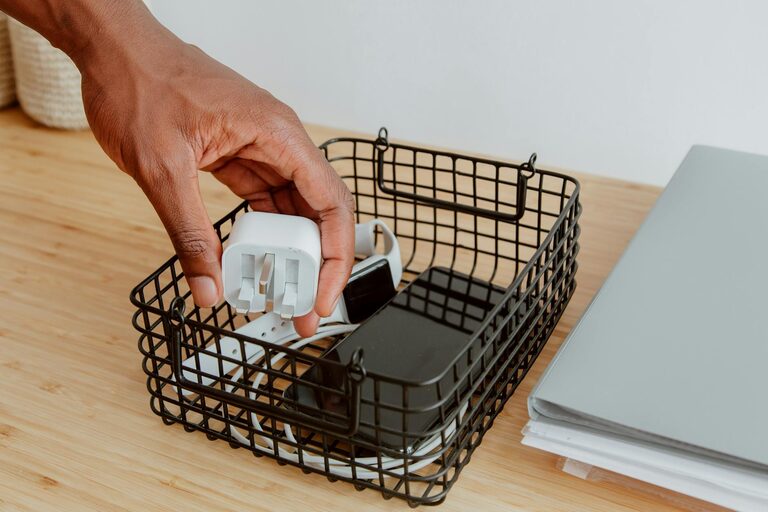
Keeping cables and chargers neat and organized can transform your workspace or living area from cluttered chaos into a tidy, efficient environment. Whether it’s phone chargers, laptop cables, or various adapters, managing these cords can often feel overwhelming. The good news is, with some practical strategies and a bit of effort, you can keep everything streamlined and easy to find. In this post, we’ll explore why organizing cables matters and share step-by-step tips for managing them effectively.
Why Organize Cables and Chargers?
Before diving into methods, it’s helpful to understand the benefits of cable organization:
– Reduces clutter: Avoid tangled messes that create visual noise.
– Saves time: Easily locate and access the charger or cable you need.
– Prevents damage: Proper storage prevents cables from fraying or breaking.
– Increases safety: Minimizes tripping hazards and electrical issues.
– Improves aesthetics: Clean setups look more professional and inviting.
Assess Your Cable and Charger Situation
Start by gathering all your cables, chargers, and adapters into one spot. Doing a quick inventory helps you identify what you have and what you actually use.
Steps for assessment:
– Lay out all cables and chargers on a flat surface.
– Check for duplicates or outdated accessories.
– Dispose of broken or obsolete items responsibly.
– Group similar items together (e.g., phone chargers, HDMI cables, laptop adapters).
This initial step clears unnecessary clutter and sets a base for organization.
Tips and Techniques for Organizing Cables
1. Use Cable Ties or Velcro Straps
One of the simplest and most effective ways to keep cables neat is by bundling them.
– Wrap cables into loops about 6-8 inches in diameter.
– Secure with reusable cable ties, Velcro straps, or twist ties.
– Label each bundle with small tags or masking tape to identify its purpose.
2. Store Cables in Dedicated Containers
Keeping cables in the right container helps maintain order.
– Use clear plastic boxes with dividers or small bins.
– Index containers with visible labels for quick access.
– You can even repurpose shoeboxes by adding separators inside.
3. Implement a Charging Station
A designated area for charging devices reduces scattered cords.
– Use a multi-port USB hub or a charging dock.
– Keep the station close to power outlets.
– Organize cords so they don’t overlap or tangle.
4. Try Cable Management Boxes and Sleeves
Cable management boxes hide power strips and extra wire length.
– Place power strips inside boxes with ventilation.
– Use cable sleeves or tubing to bundle several cables neatly.
– These tools help keep cords out of sight and organized.
5. Label Every Cable and Charger
Labeling saves time and avoids confusion.
– Use small adhesive labels, colored tape, or write directly on cables.
– Indicate the device or function of each cable.
– This practice is especially useful when multiple people share a space.
6. Mount or Hang Cables on Hooks or Pegboards
Utilize vertical space with hooks or pegboards.
– Hang cables individually to prevent tangling.
– This approach works well for rarely used but necessary cords.
– It’s also easy to spot missing cables at a glance.
Maintaining Your Cable Organization System
Once set up, maintaining your system is crucial.
– Periodically review your cables and chargers.
– Update labels when adding or removing items.
– Regularly tuck away cables after use to avoid mess buildup.
Bonus: Traveling with Chargers and Cables
Don’t forget about on-the-go cable management.
– Use travel organizers or small pouches with compartments.
– Secure cables with straps or ties before packing.
– Keep frequently used items accessible in an outer pocket.
Final Thoughts
Organizing cables and chargers doesn’t have to be stressful or expensive. By taking small, consistent steps and using simple tools like ties, labels, and storage boxes, you can enjoy a clutter-free environment that looks good and functions well. Start with what you have today, and watch your space transform with better cable management!
—
Feel free to share your own cable organization hacks or questions in the comments below!